
November 20, 2026 · Business Controls · Trust Center

Trust Center shows buyers your security, and lets them check it.

A public page for every vCISO Lite customer. Each statement links to a sealed record anyone can verify. Documents sit behind a click-through NDA, and requests go to the account owner.

What changed

Every customer now has a public Trust Center. It lists what you can say about how you protect data, by topic, and every statement links to the record behind it. What shows is chosen from your claims, and who gets documents is set in Settings.
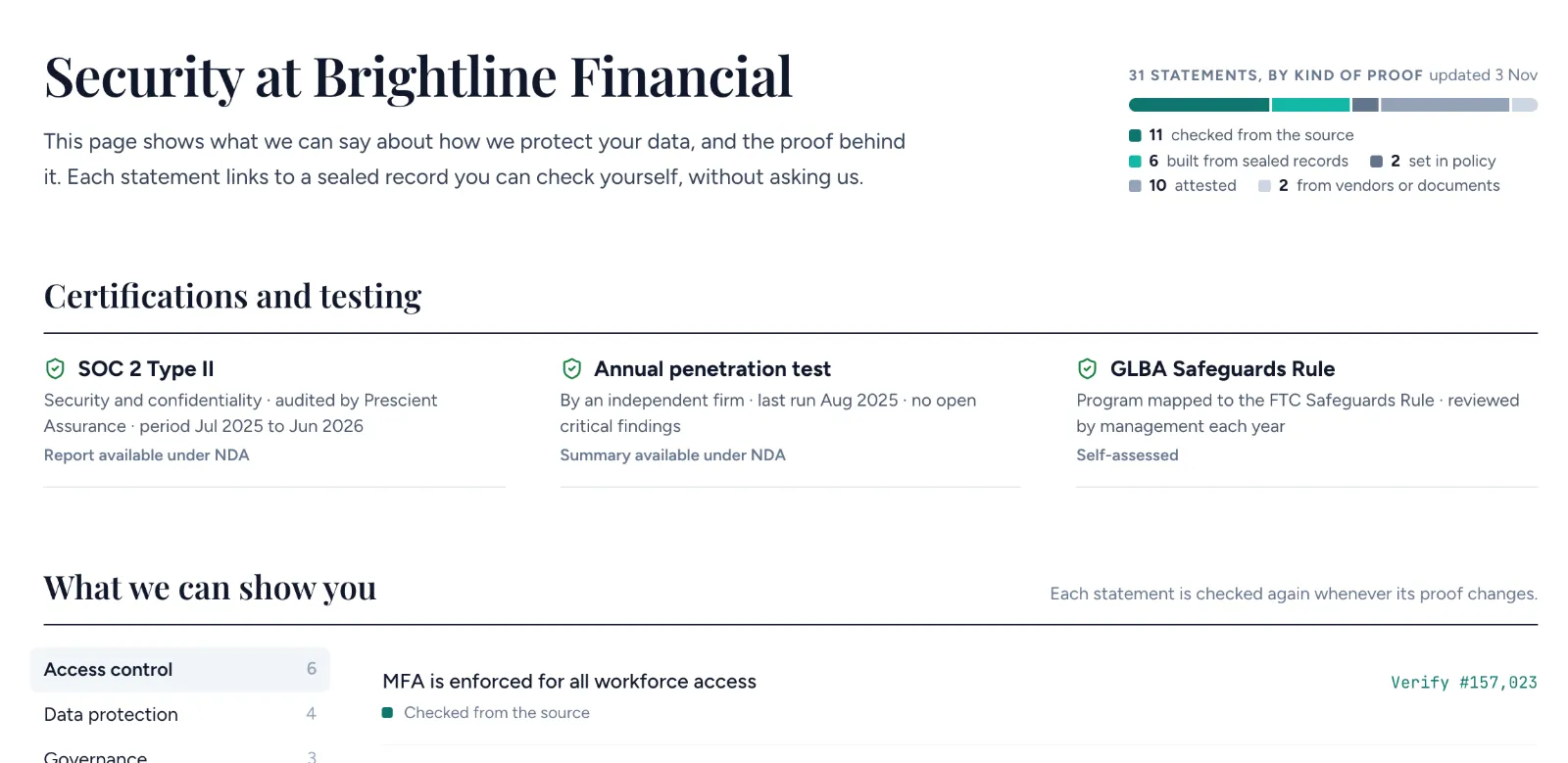
Statements
What you can say, by topic: access control, data protection, incident response, testing and more. Verify opens the public seal page for each one.
Common questions
Answers built from the same statements, a subprocessor list, and a feed of changes posted when a subprocessor or certification changes.
From claims
Each claim decides whether it appears, and whether each document in its proof is public, under NDA or hidden. When a claim stops holding, its documents come off the page until it holds again.
Access
Anyone from a company you’ve answered a questionnaire for gets NDA documents straight away. Personal email addresses are declined automatically. Everyone else becomes a task for the account owner.
Your own domain
On Business, Ultra and Enterprise, the page can run on your own domain, kept current by vCISO Lite.
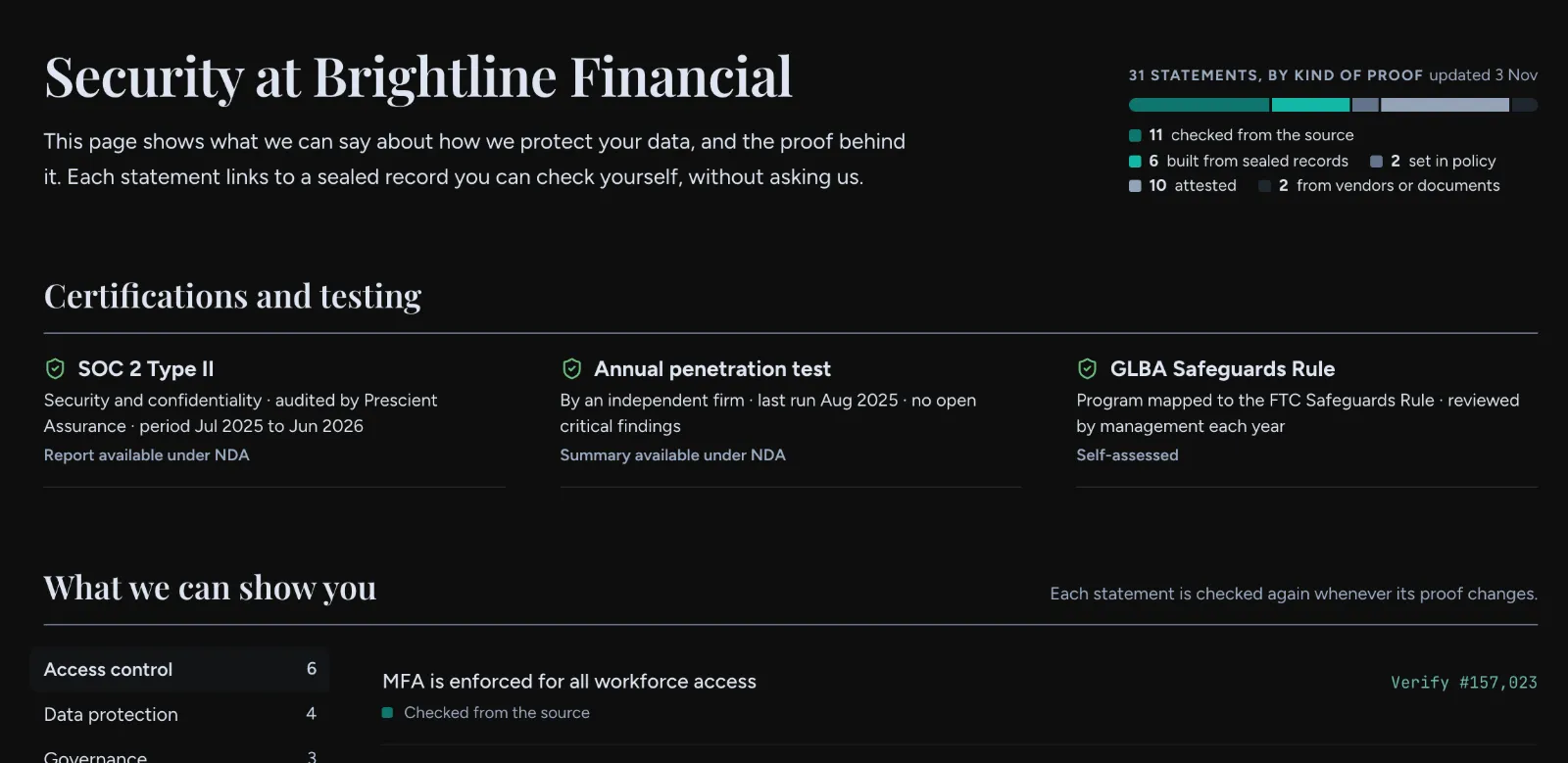
A Trust Center: certifications, and statements grouped by topic, each with a Verify link.(Dark) A Trust Center: certifications, and statements grouped by topic, each with a Verify link.
FIG. 1Brightline Financial’s Trust Center. Statements by topic, each with its kind of proof and a Verify link.

Why it matters

Buyers increasingly ask vendors to prove what they claim, and a page of green ticks asks them to trust the page. Every follow-up for a policy or a report adds days to the deal.

When each statement links to the record behind it, the buyer can check it without asking you or us. Because the page and your questionnaire answers come from the same claims, they can’t drift apart.

You choose what the world sees. The page shows only the claims you pick, 31 of Brightline’s 38 in Fig. 2, and for each one which documents are public, under NDA or hidden.

The page keeps itself current. Each statement is checked again whenever its proof changes, a claim that stops holding takes its documents off the page until it holds again, and a subprocessor change posts to the updates feed. Every Verify link opens that statement’s seal page, so a buyer sees the record as it stands now, not as it stood when someone last edited the page.
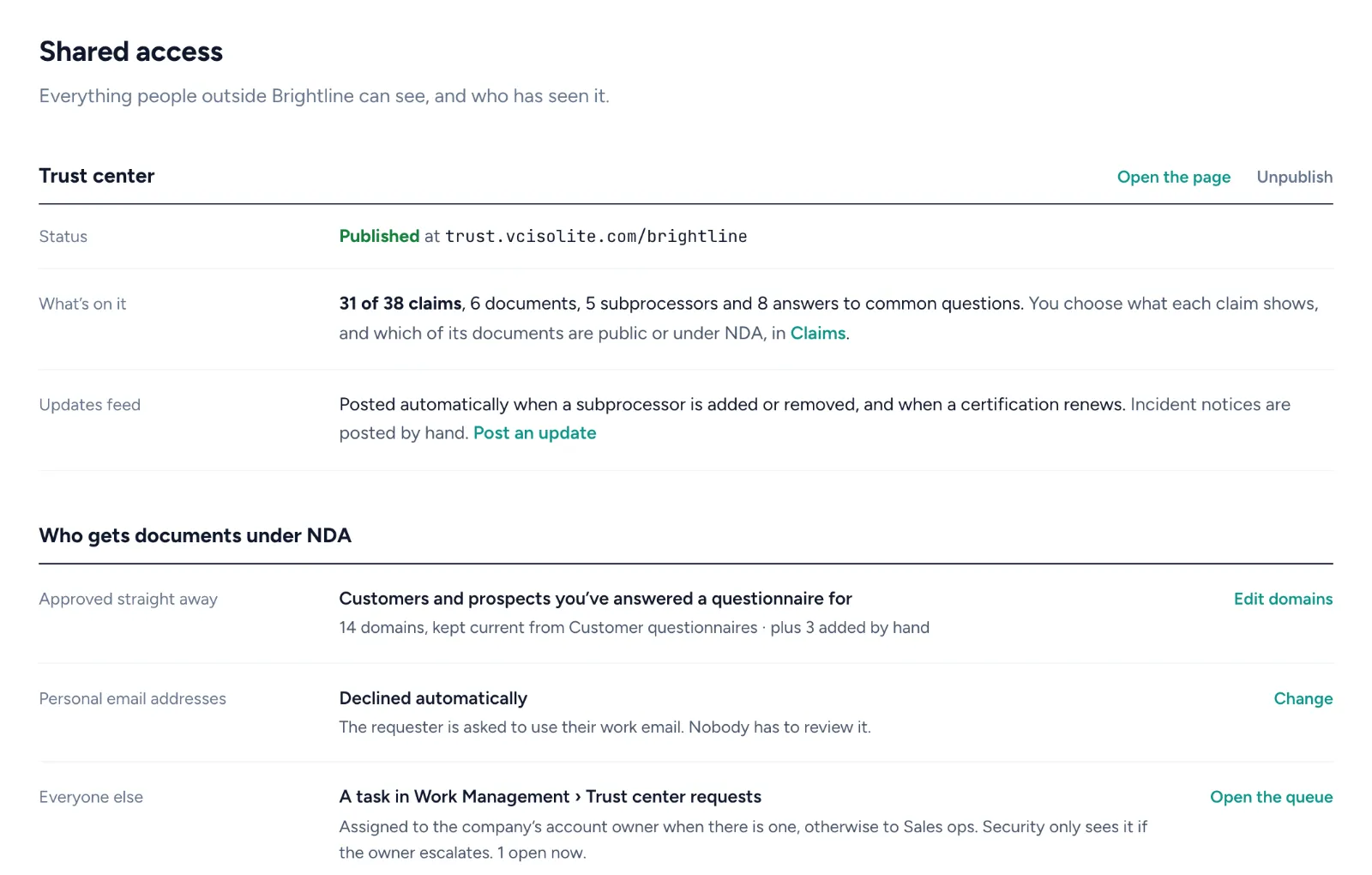
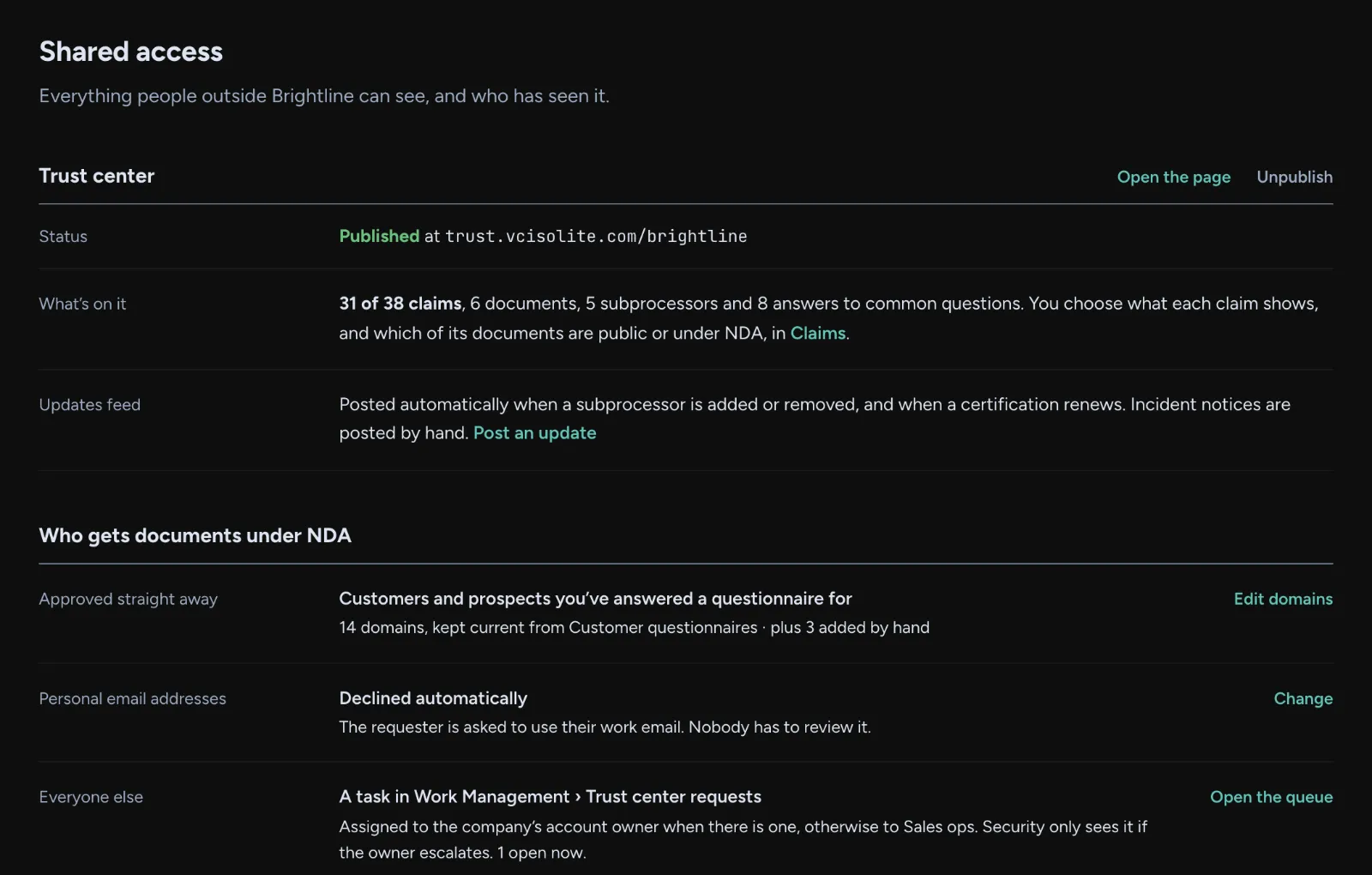
Settings, Shared Access: the Trust Center's status, what's on it (31 of 38 claims), the updates feed, and who gets documents under NDA.(Dark) Settings, Shared Access: the Trust Center's status, what's on it (31 of 38 claims), the updates feed, and who gets documents under NDA.
FIG. 2Settings › Shared Access. What’s on the page, what posts on its own, and who gets documents.

Availability

Available now on every plan at trust.vcisolite.com, and on your own domain on Business and above. Set it up at Settings → Shared Access; choose what each statement shows in Business Controls → Vendors → Claims.

Your existing claims, documents and subprocessor list carry over. Nothing is published until you turn the page on.

Known limitations

  • Statements don’t name the systems behind them, matching the verify page.
  • Prospect activity shows on the customer questionnaire record. CRM sync is not included yet.