Field note · Incident study
A Backup Vendor's App Made Itself Global Admin. It Was Allowed To.

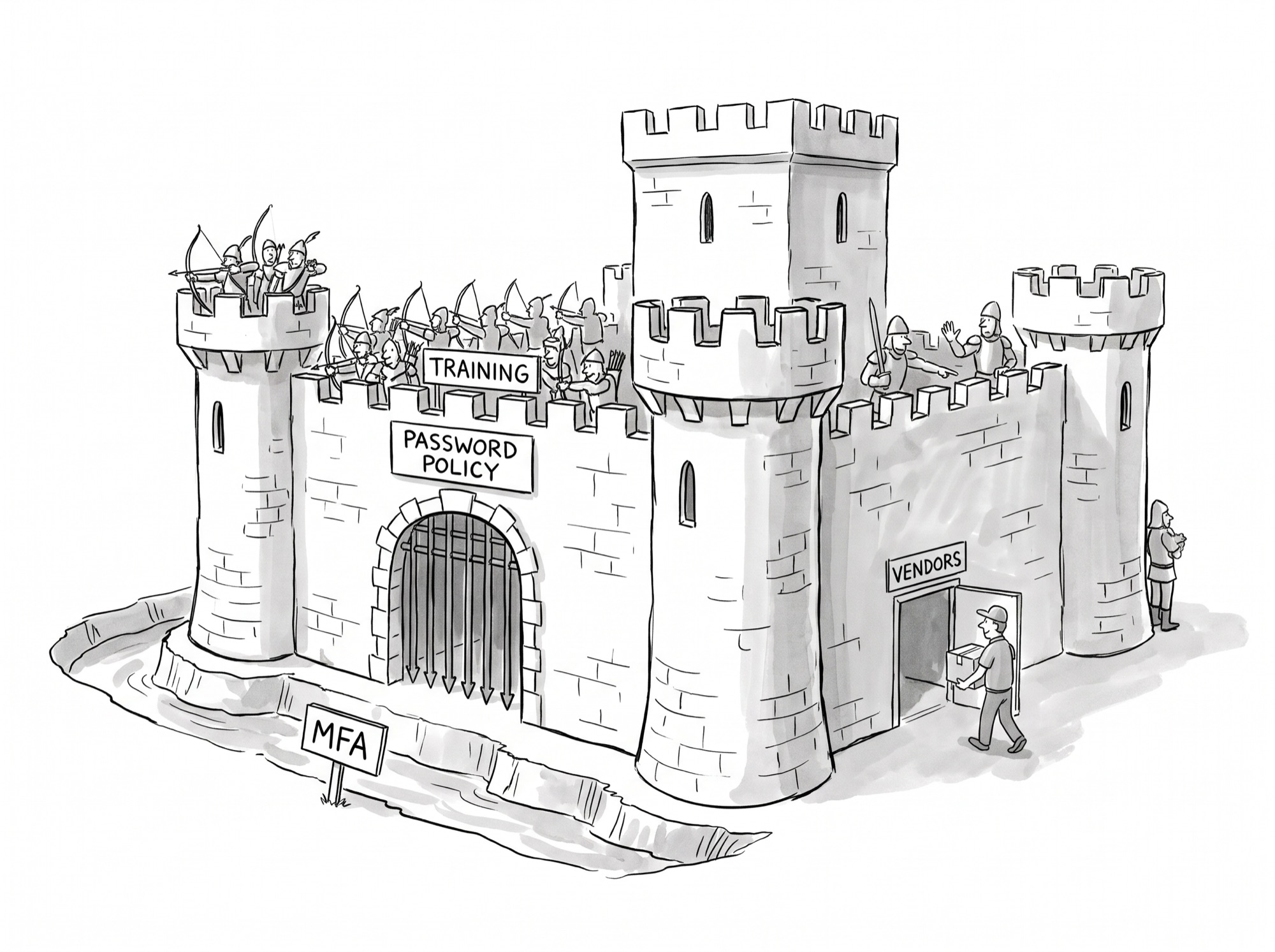
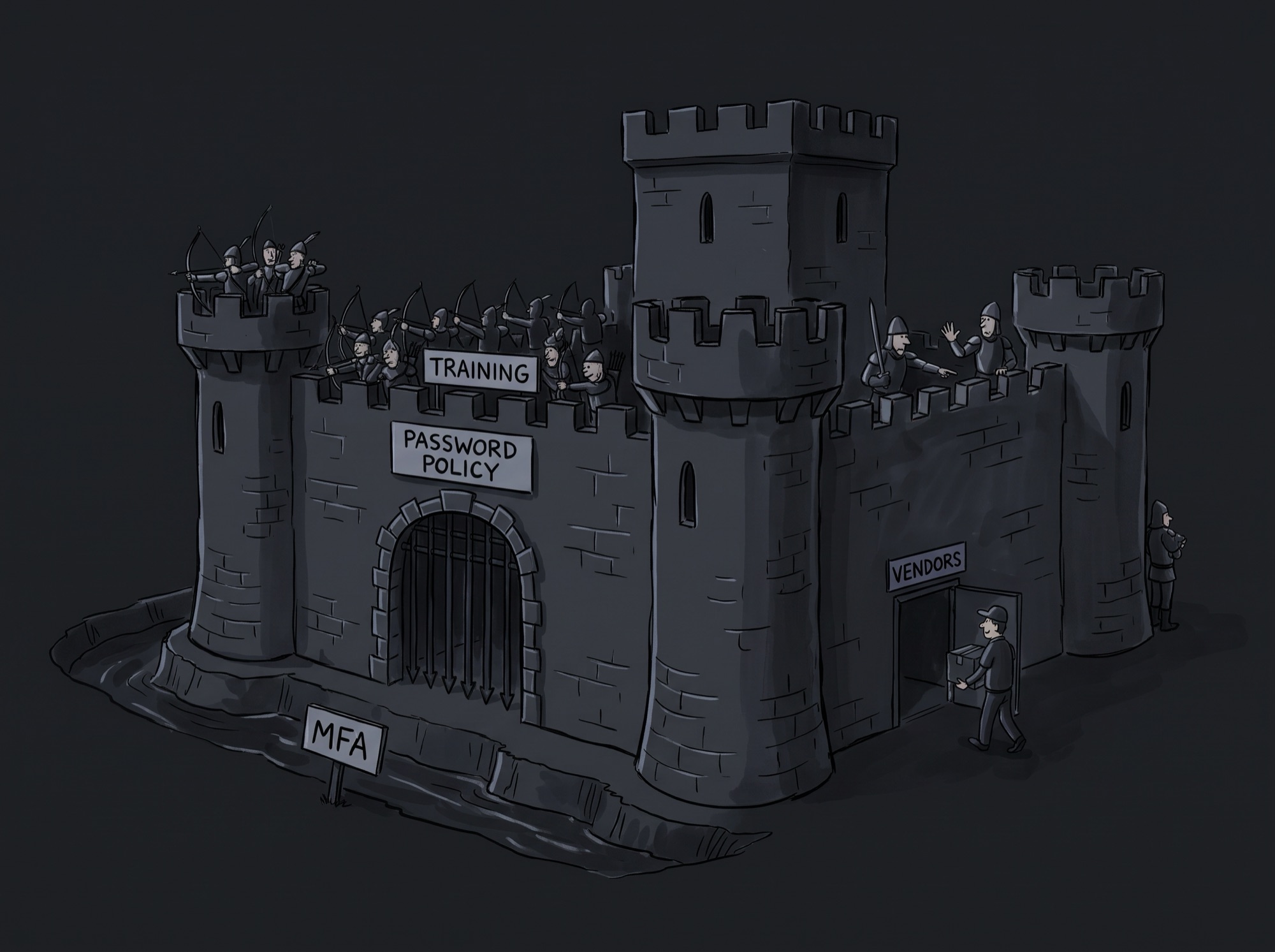
At 11:44 p.m. Eastern on Wednesday, October 14, 2026, an application inside a company’s Microsoft 365 tenant made itself a Global Administrator, the most powerful role in Microsoft 365. It was a Teams management tool sold by ConnectWise, alongside the Cloud Backup service it bought from SkyKick in 2024. Within five minutes, a script running as that app had added new secret keys to two other applications in the tenant, valid until 2028. Forty-seven seconds later, the same thing happened in a second company’s tenant.
Most of the coverage since has been about two things: that Microsoft says AI agents ran the attack, and that ConnectWise’s backups were offline for two weeks. Neither explains what happened. The app promoted itself because it had permission to. Someone at each of these companies, usually their IT provider, approved that permission once, at onboarding, and it never expired. When an attacker got hold of the vendor’s key, they inherited the grant. This was an identity problem, and it’s one most companies can check for themselves in an afternoon.
It wasn’t the AI
The campaign had two halves, and they ended very differently.
The half aimed at people failed. Between October 10 and 14, Microsoft recorded more than 151,000 failed sign-ins against 327 user accounts at eight organizations, at up to 2,900 attempts a minute. It observed no successful logins. Ordinary defenses (MFA, lockouts, sign-in policies) did their job.
The half aimed at the vendor’s app succeeded. Using ConnectWise’s application credential, the attacker requested access to almost 1,000 tenants in sorted order and got it in more than 300, according to Huntress. In the two tenants where Huntress holds the full audit logs, the app went from first look to Global Administrator in under three hours.
Microsoft says the operator used ARTEX, an open-source framework, written in Go, that runs several AI agents together to carry an attack from reconnaissance to data theft with little human input. Huntress went through its own logs looking for signs of that, and some are there. Between runs, the tooling changed in under a minute, which Huntress calls “consistent with an agent loop: read the failure, rewrite the call, run it again.” Three times, the operator tried an action in a single tenant before running it across a batch. After one failure a retry appeared with doubling wait times, the kind of defensive error handling that machine-generated code tends to include.
None of that is proof, and Huntress says so. A person pasting a chatbot’s output into a terminal would leave the same marks. Most of the heavy lifting looks like ordinary scripts: a loop through tenants in sorted order, and a burst of about 100 requests in ten seconds. Microsoft hasn’t said how it identified ARTEX. Huntress’s own confidence that a language model was involved is low to medium from its logs alone, rising to medium to high only if Microsoft’s attribution is taken on trust.
Grant all of it, and the outcome doesn’t change. Whatever was adapting the tooling could only do what the app was allowed to do. An agent makes an attack faster and tireless. It doesn’t create permissions. The cleanest proof is in Huntress’s data: a hand-picked second wave against 16 high-value targets failed, including in every tenant where the ConnectWise app wasn’t installed. No app, no grant, nothing for an agent to work with.
What the grant allowed
When an IT provider connects a tool like this to a client’s Microsoft 365 tenant, a tenant administrator approves a list of permissions on a single consent screen. These are “application” permissions: they let the app act on its own, at any hour, with no user involved. The approval has no expiry date. Nobody is asked to renew it, nothing checks whether the app still uses it, and it doesn’t show up in the access reviews companies run for their staff.
The app proves who it is with a credential its maker holds. Huntress reports that ConnectWise’s lived in ConnectWise’s own environment. One key worked in every tenant that had approved the app, and no customer could rotate it, see it or protect it.
Nor do the protections companies have built for people reach it. Microsoft says app identities “can’t perform multifactor authentication.” Microsoft does offer sign-in policies for apps that block requests from unexpected networks, which would have stopped requests from the rented hosting address the attacker used. But those policies only cover apps a company builds for itself. Microsoft’s documentation is explicit that “third-party SaaS applications, including multitenant apps, are not covered.” For an app like ConnectWise’s, the grant is the only control the customer has.
So what did these grants allow? Neither company has published the exact permissions. But we know what the apps did that night, and only a short list of Microsoft permissions makes those moves possible. An app that can assign directory roles can make itself Global Administrator. An app that can grant app permissions can give itself the first ability. And an app that can manage other apps’ credentials can plant a key on any of them and act as it. Microsoft’s own permission reference carries warnings on exactly these.
Permissions like these “allow an application to grant additional privileges to itself, other applications, or any user.”
— Microsoft Graph permissions reference, on AppRoleAssignment.ReadWrite.All
Huntress’s logs show this power was not something the attacker unlocked. It was routine. That same night, starting at 1:58 a.m. UTC, ConnectWise’s apps assigned themselves directory roles, mostly Exchange Administrator, in about 50 tenants Huntress monitors. The requests carried the same software signature as ConnectWise’s legitimate tools, which suggests ordinary vendor automation, though that hasn’t been confirmed. Handing itself admin roles was part of how the product worked. The attacker didn’t break the app. They used it as designed.
The timeline
Five dated events. Everything confirmed happened in one night, before any public warning.
October 10–14 · the attack on people fails
151,000+ failed sign-ins against 327 user accounts at eight organizations, and none successful. ConnectWise detects suspicious activity on October 14 and suspends Cloud Backup. Customers aren’t told yet.
October 15, 01:05–03:57 UTC · the grant is used
The operator maps tenants, tests each step in one, fixes what fails in under a minute, and repeats. At 3:44 the Teams management app makes itself Global Administrator and starts planting secrets on other apps. Where a tenant blocks it from undoing a role change, it gives an elevated role to a sibling ConnectWise app instead, then deletes itself.
October 15, 06:13–14:20 UTC · the sweep
Access requests go to almost 1,000 tenants in sorted order; more than 300 succeed. The last sign-in Huntress can confirm is at 8:44. A targeted wave against 16 tenants in policy, national security, trade and critical minerals fails, including wherever the app isn’t installed.
October 16–21 · the warnings
Huntress goes public on October 16 and ConnectWise posts its advisory. Huntress tells customers to disable the ConnectWise apps themselves, not delete them. ConnectWise disables its management apps at 5:15 p.m. ET on October 17. Microsoft names Storm-0940 on October 21.
October 28 – November 4 · a new consent screen
Backups return through a new app, ConnectWise Cloud Backup for M365. Every tenant must be reconnected, and a tenant administrator must approve the new app’s permissions. For most customers, this is the first time anyone has looked at the vendor’s consent screen since onboarding.
What was approved, and what it allowed
The consent screen asks one question. The grant answers a much bigger one.
The check you can run this week
The question that matters is narrow and answerable: which outside apps in our tenant could make themselves Global Administrator? Four steps.
1. Pull the short list. In Microsoft Entra, list every non-Microsoft enterprise app and flag two kinds. First, apps that hold an administrator role directly, especially Global Administrator, Privileged Role Administrator, Application Administrator or Cloud Application Administrator. Second, apps that hold any of three application permissions: RoleManagement.ReadWrite.Directory, AppRoleAssignment.ReadWrite.All or Application.ReadWrite.All. Every app in either group can reach Global Administrator, directly or by acting as another app. Expect most of them to have come from your IT provider.
2. Make a decision on each one, in writing. Three options. Remove it if nobody can say what it’s for. Narrow it if the vendor can do the job with less: ask them in writing why each flagged permission is needed. Or keep it, with a named owner on your side and a date to look again. “Keep” is a legitimate answer. Backup tools need broad access. The failure in October was that nobody had made the decision at all.
3. Watch the kept ones, with the vendor’s normal in mind. Alert on two events for every app on the list: an app being given a role, and a key being added to an app. Then account for what Huntress’s data shows: some vendors’ apps assign themselves roles as part of normal operation. The alert has to go to someone who knows what normal looks like for that vendor (which networks it signs in from, which software it identifies as) and can tell routine automation from a stranger using the same key.
4. Read the next consent screen. Every ConnectWise customer is approving a new app right now, and every vendor that rotates an app after an incident will do the same. A re-consent is the one moment you have leverage. Compare what the new app asks for with what you decided in step 2, and don’t approve anything on the short list without a written reason.
What vCISO Lite would and wouldn’t have changed
Most of this happens inside Microsoft 365, in the middle of the night. Here’s the honest split.
Catching an app promoting itself means watching Entra audit logs in real time. That’s a job for your IT provider or a managed detection service. We don’t do it.
It lived in ConnectWise’s environment. Nothing a customer runs could have protected it.
If a vendor’s job genuinely needs a permission that can reach Global Administrator, no platform can make that grant narrower.
In vCISO Lite, “which outside apps may hold admin-level access, and who reviews them” is a policy requirement that runs as a standard: a named owner, a review cycle, and a record of who approved each keep. It doesn’t depend on someone remembering in a year.
In our vendor risk scoring, admin access and integration depth are named inputs. A vendor whose app can reach Global Administrator scores as a high-risk vendor in its own right, not as a line under the IT provider.
Our vendor-incident auto-declaration would have turned ConnectWise’s advisory into a declared incident against that vendor, with ranked first steps for the cleanup.
Our read
Three positions, in order of confidence.
One. This was an identity failure, not an AI one. The attack on people failed completely. The attack through the vendor’s app worked in hundreds of tenants, and stopped cold wherever the app wasn’t installed. Whatever drove the operator, the outcome was decided months or years earlier, on a consent screen.
Two. Companies review people’s access and never review apps’. A departing employee loses access the day they leave. A vendor app approved in 2021 keeps everything it was given, indefinitely, because nothing in the consent model asks again. Until that changes, the review has to be something a company decides to do, with a name and a date on it.
Three. Vendors will be asked to justify their permissions, and they should be. A Teams management tool that can make itself Global Administrator is a design choice, whether the vendor’s or a consequence of how Microsoft groups its permissions. We expect customers and insurers to start asking vendors, in writing, why each high-risk permission is needed. That pressure is what will narrow the grants. This is the position we hold most loosely, because it depends on buyers actually asking.
Primary sources
- Huntress — ConnectWise (SkyKick) vendor credentials abused in M365 attacks (Oct 16, 2026, updated through Oct 27)
- Huntress — AI, scripts, operator: inside the ConnectWise attack (Oct 26, 2026)
- Microsoft Threat Intelligence — Storm-0940 uses ARTEX agentic AI in ConnectWise supply chain compromise (Oct 21, 2026)
- Microsoft — Microsoft Graph permissions reference (AppRoleAssignment.ReadWrite.All, Application.ReadWrite.All, RoleManagement.ReadWrite.Directory)
- Microsoft Learn — Conditional Access for workload identities (single-tenant service principals only)
- SpecterOps — Azure privilege escalation via Azure API permissions abuse (Dec 2021)
- ConnectWise — Cloud Backup (formerly SkyKick) credential incident advisory (Oct 16, 2026, updated through Nov 4)
- Cybersecurity Dive — China-nexus actor behind ConnectWise Cloud Backup attack (Oct 22, 2026; October 14 detection)